
Using AI 3D models in Unity and Unreal
Download FBX at a lower detail level for the simplest import into Unity or Unreal. Full-detail models have close to two million triangles, far too heavy for real-time use. Choose GLB if you need the metal-roughness and normal maps, since our FBX carries only the base-color texture. Unity needs its free glTFast package for GLB.
- About 1.4–2 million triangles, 40–70 MB GLB
- 200,000, 50,000, 10,000 or 4,000 triangles, included in the price
- 1,000, 5,000 or 20,000 triangles, 19 credits from an image
New accounts get 20 free credits. Failed generations are refunded.
How it works
- Step 1
Pick a triangle budget
Generate on the Low-poly engine at 1,000, 5,000 or 20,000 triangles, or download an Ultra model at 200,000, 50,000, 10,000 or 4,000.
- Step 2
Choose FBX or GLB
FBX for a quick start with base color. GLB to keep the full PBR maps.
- Step 3
Leave compression off
The optional Draco and WebP download is for the web. Game engines need extra support for it.
- Step 4
Import and check the scale
A generated GLB is about one unit tall, so resize it to suit your scene.
At a glance
| Full-detail Ultra model | About 1.4–2 million triangles, 40–70 MB GLB |
|---|---|
| Lower detail downloads | 200,000, 50,000, 10,000 or 4,000 triangles, included in the price |
| Low-poly engine | 1,000, 5,000 or 20,000 triangles, 19 credits from an image |
| FBX contains | Mesh and embedded base-color texture |
| GLB contains | Mesh, base color, metal-roughness and normal maps |
| Not included | Rigging, animation, LOD chains in one file |
Unity
FBX is the short path: drag the file into the Project window. Our FBX has the base-color texture embedded, so extract it from the import settings if your material doesn't pick it up.
For GLB, open the Package Manager, choose to add a package by name, and enter com.unity.cloud.gltfast. Then drop the GLB into the project. Our downloads are plain GLB, so you don't need the separate meshopt decompression package. Menu names change between Unity versions.
Unreal Engine
FBX imports through the normal Import button with no plugin. Set up the material from the embedded base-color texture.
For GLB with all its PBR maps, use Unreal's glTF import support, which on some engine versions means enabling the glTF Importer plugin first. Check the documentation for your version, since this area has changed between releases.
Choosing a budget
As a starting point, use about 1,000 triangles for small background props and mobile scenes, 5,000 for a prop the player can walk up to, and 20,000 for hero objects seen up close. Your platform and how many objects are on screen decide the real number.
A 200,000-triangle download keeps the original texture and suits close-up renders and cinematics. The 50,000 and 10,000 versions get a new UV layout and a texture baked for the simpler mesh. In a test on one 1.9-million-triangle character, the 200,000 GLB was 9.9 MB and the 50,000 GLB was 4.7 MB.
What you still have to do
Generated models are single static meshes. There are no separate parts, no rig and no animation. Humanoids can go through a tool such as Mixamo after you download the FBX. Add colliders in the engine, and keep the pivot in mind, because it won't be where a hand-built asset would have it.
Real results, not mockups
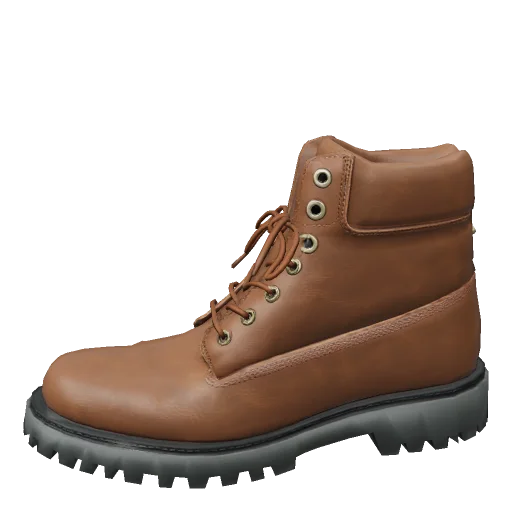
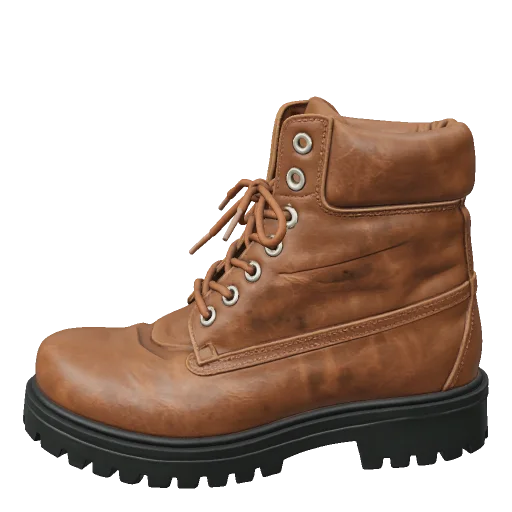
Each model was generated on 3DLoom from the sample image in its corner. These are the engine's own renders.

Questions
Can AI create a low-poly model from an image for Unity?+
Yes. Upload the image, set a triangle limit on the Low-poly engine, and download FBX. In our test a boot with a 5,000 limit came back at 4,878 triangles.
Does Unity open GLB files without a plugin?+
No. Install the free glTFast package, or use the FBX download.
Will PBR materials carry over?+
With GLB, yes. Our FBX embeds base color only, so add other maps yourself or use GLB.
Can I rig these models?+
Not on 3DLoom. Export FBX and use a rigging tool. Results depend on how clean the pose is, and an A-pose or T-pose works best.